How to build a pitch deck (from first principles)
A pitch deck isn't an info doc - it's an argument. Every slide exists to answer a specific question in an investor's mind, and the best decks are built around that logic, not around filling up a template.
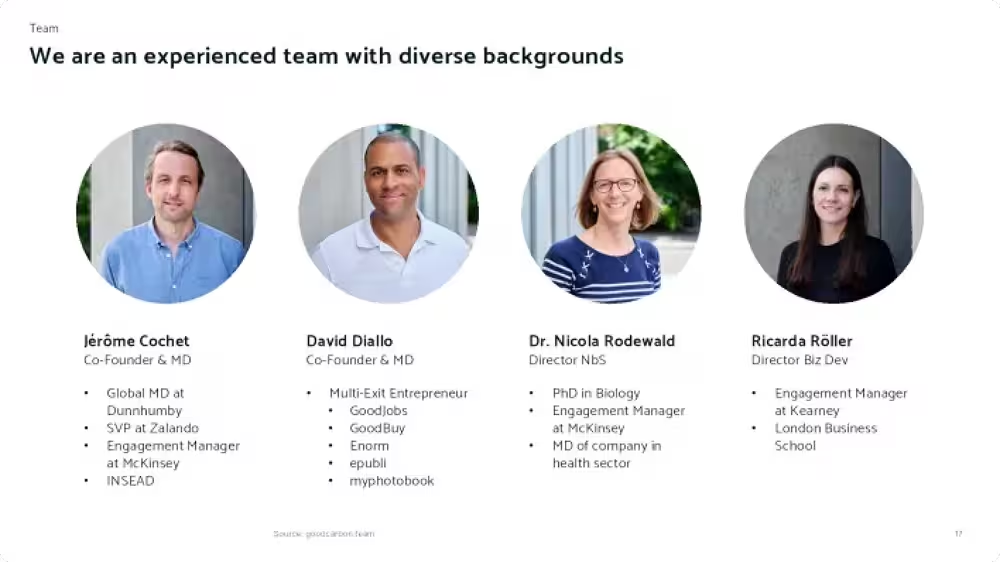
Take the team slide. It's not about the team - it's about whether the team can execute on the idea. This means that everything in the slide should be relevant to the idea and not simply a list of previous job titles.
Every deck needs to answer four questions:
- What do you do and why?
- Can you earn money?
- Can you execute?
- How will you use funds?
Each point logically flows to the next. There’s no point telling people about your great business model if they don’t understand what you’re doing. It’s futile to show amazing traction if your market is small and stagnating. It all has to build up: I have something good, it can earn money, and I can do it.
Here’s what it looks like when we layer these questions onto the slides:
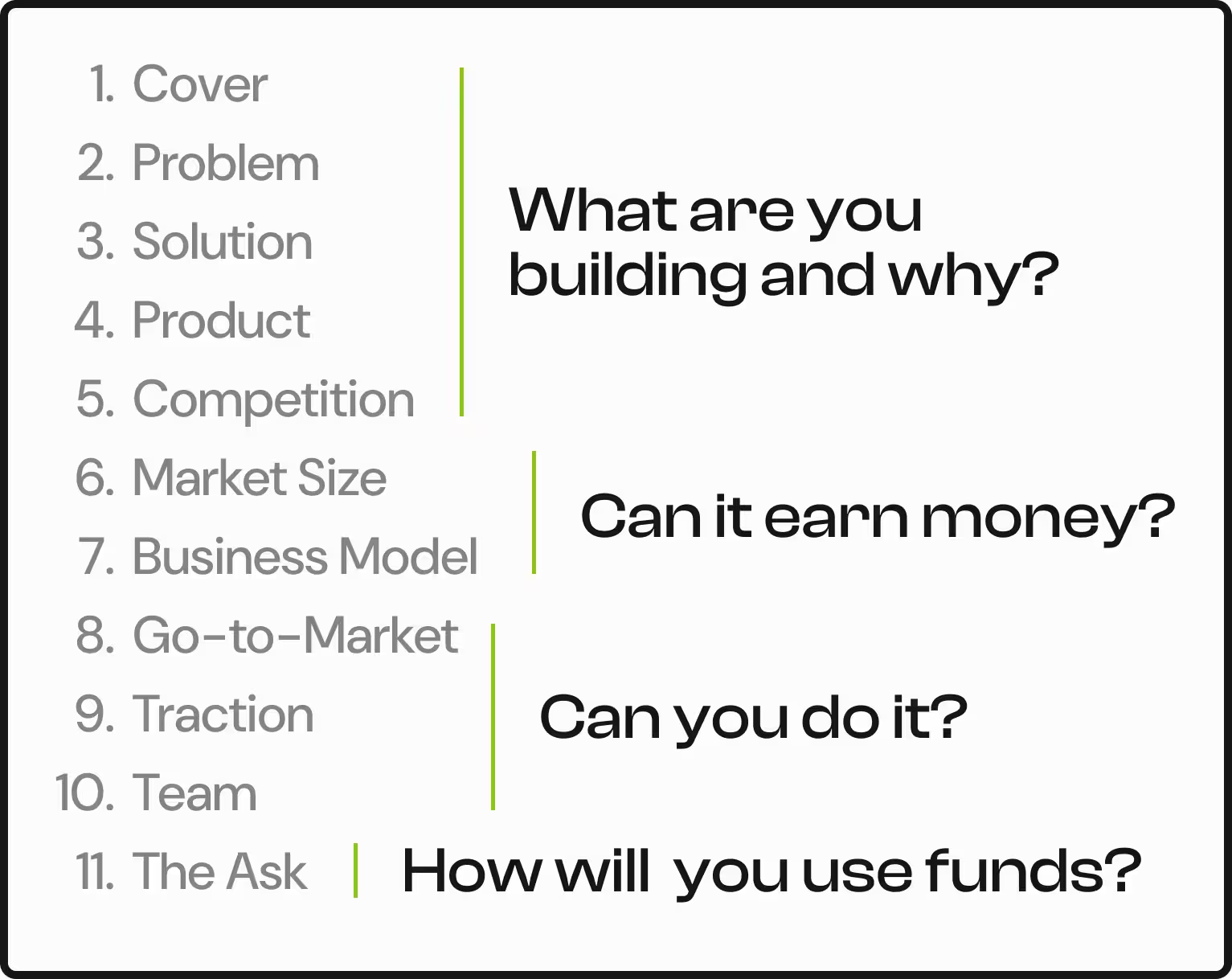
Each slide plays an intentional role and answers smaller parts of these questions. This guide walks through these eleven slides, what each one needs to answer, and real examples of startups who got it right — and a few who didn't.
1. Cover
What do you do?
"Most founders treat the cover slide as a formality. It isn't — it's your first content slide, and it has a job to do.
It should answer in one sentence: “What do you do?”
Not what you aspire to be. Not your grand vision for reshaping an industry. What you actually do, right now, in plain language. There’s no point selling a grand vision when investors don’t even know what you actually do. The exception is if you're late-stage. By then investors likely know what you do, and a vision statement can work because you have a proven product to back it up.
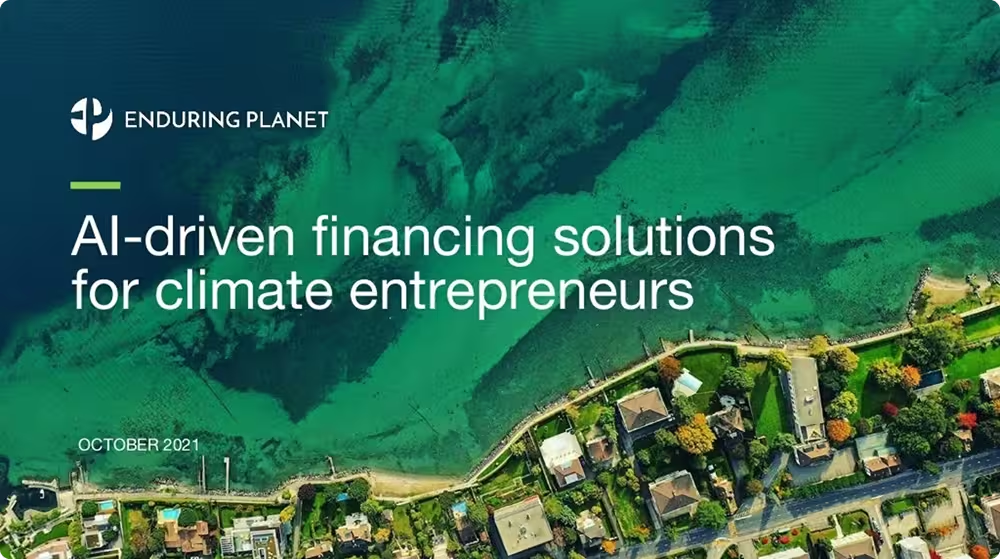
If your product is visual - an app, a physical product, a platform with a clean interface - use the cover to show it. Not a full product walkthrough, just enough to ground the reader.
2. Problem
What's the big problem?
The problem slide is the most important slide in your deck - more so than the solution. An average solution to a real, painful problem will always beat the most elegant solution to a problem nobody actually has.
This can’t just be “a problem”, it needs to be a good one. Does it affect enough people, cost enough money, cause enough friction that solving it is genuinely worth doing? If the answer isn't obvious by the end of the slide, you haven't done enough.
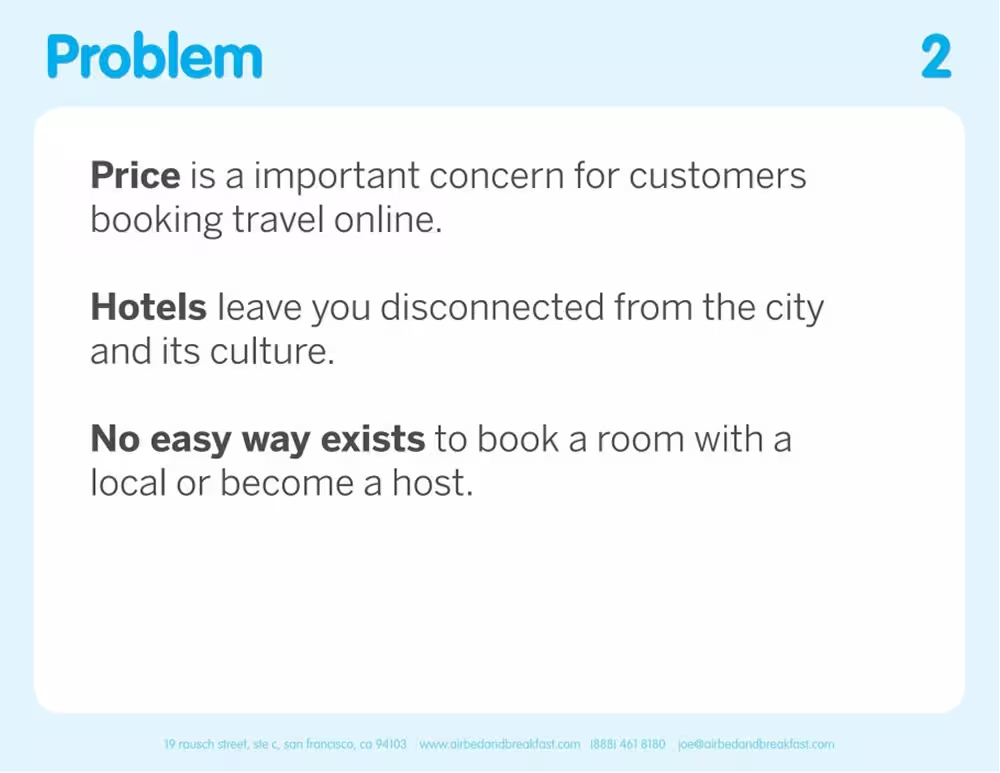
Airbnb's problem slide is the classic example of getting this right.
Sometimes there isn't a problem so much as an untapped potential. You can lead with that. But be careful, because potential doesn't prove there's a gap in the market. Problems do. If you're leading with opportunity rather than pain, make sure the opportunity is so obviously massive that the gap is implied.

3. Solution
How will you solve it?
Now that you've established the problem, you get to answer it - this is where a lot of founders trip up by talking about their product. Your product is not your solution. The solution slide is about your high-level approach.
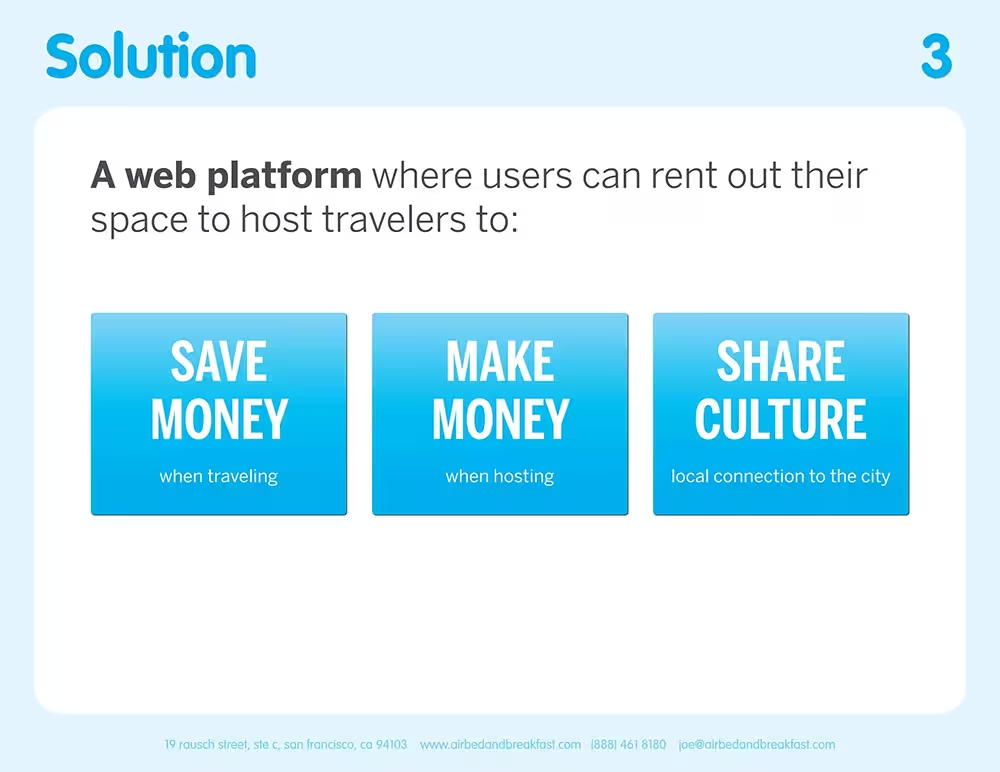
Think about how Airbnb handled it. Their solution slide didn't walk through search functionality or the booking flow. It simply said: a web platform where users can rent out their space to host travellers, so they can save money, make money, and share culture. That's it.
Only later on do they reveal the product and it’s features: searching, reviewing booking. This would not be clear as a solution slide because it goes down too fast to the functionality of the app instead of the strategic direction of the solution.
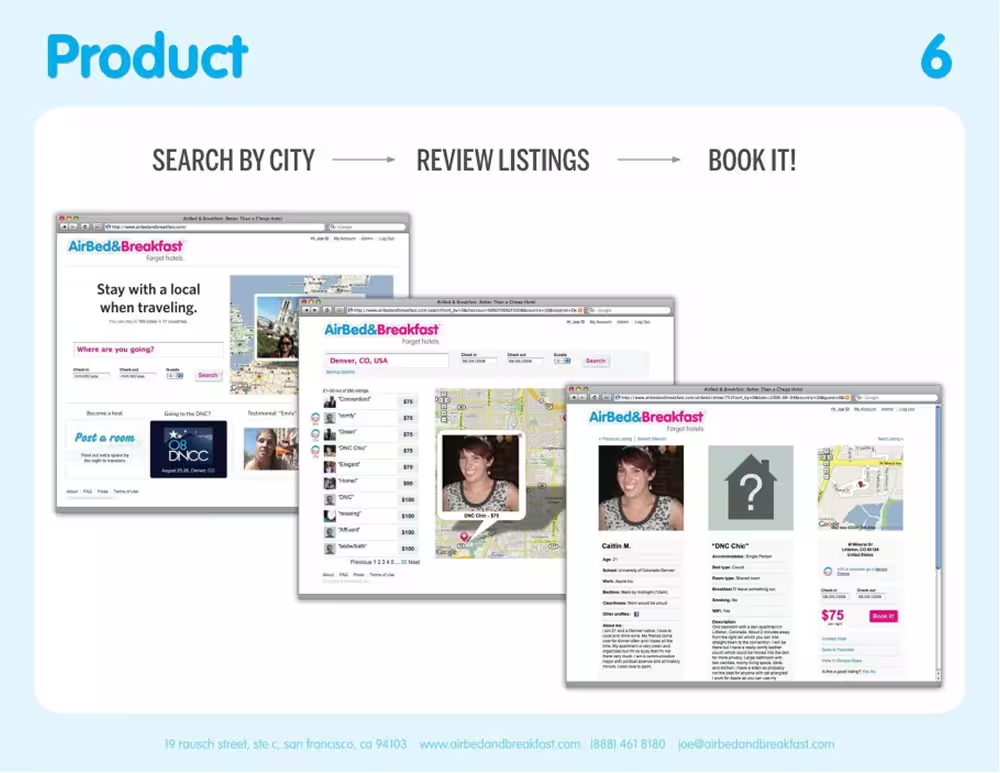
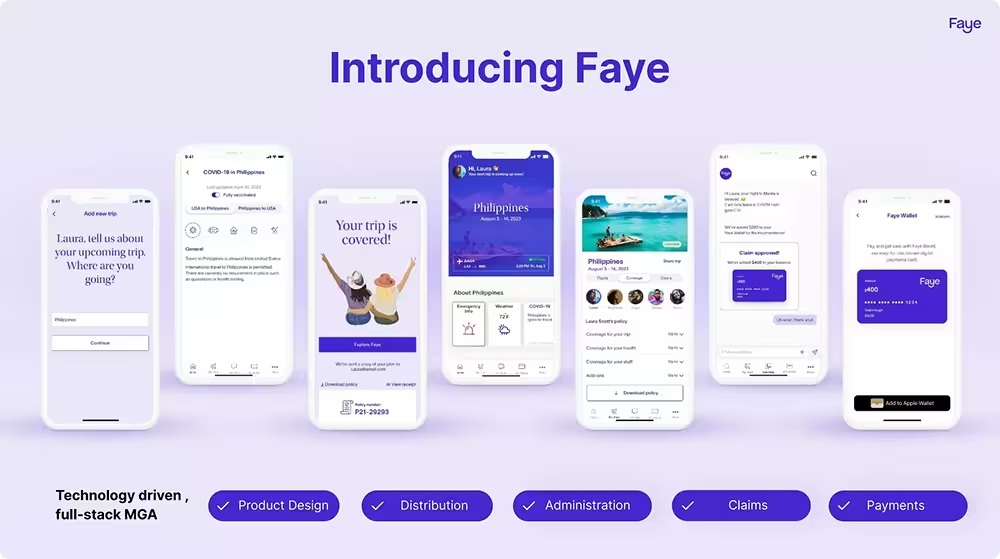
Leading with a wall of app screenshots and a feature checklist forces the reader to reverse-engineer your solution from your product — and they shouldn't have to do that work. When you dive straight into the product, people are left guessing at the logic behind it.
4. Product
How does it work?
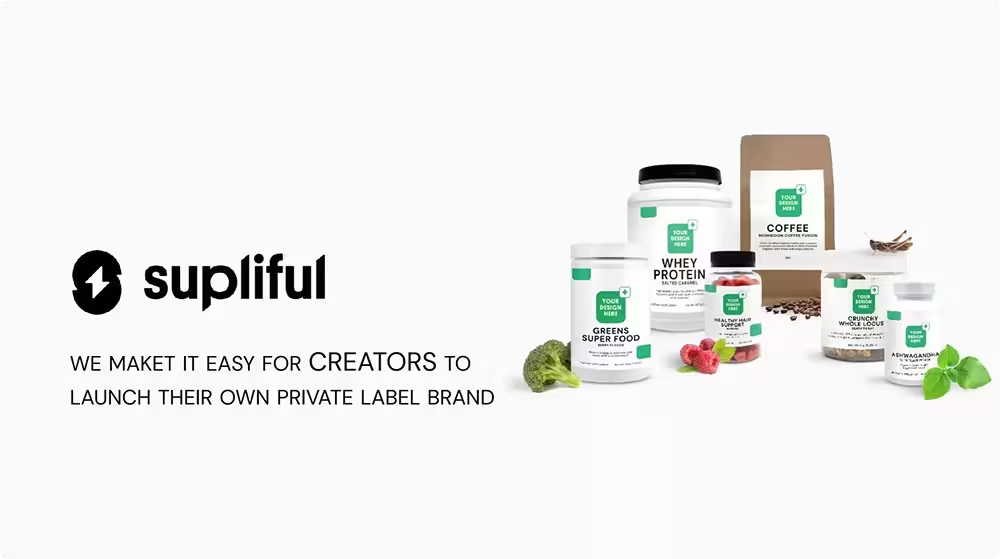
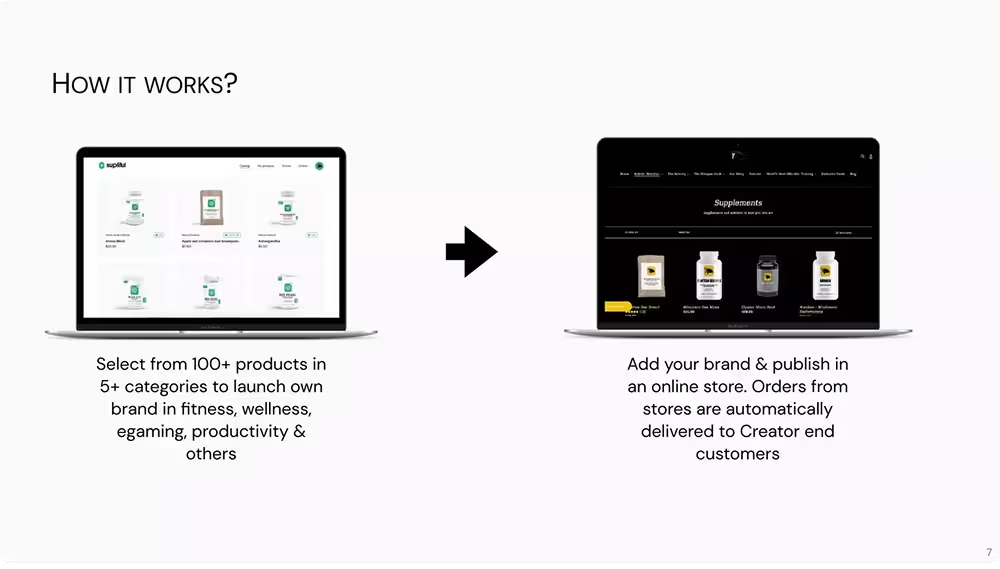
Once you've laid out your solution, then you can show your product. The key word here is show. The best product slides are visual and precise. A simple step-by-step flow, a clean diagram, a before-and-after - anything that lets the reader see the logic in action rather than just read about it. Supliful does this well, walking through two clear steps: browse and select from their product catalogue, then publish and sell under your own brand.
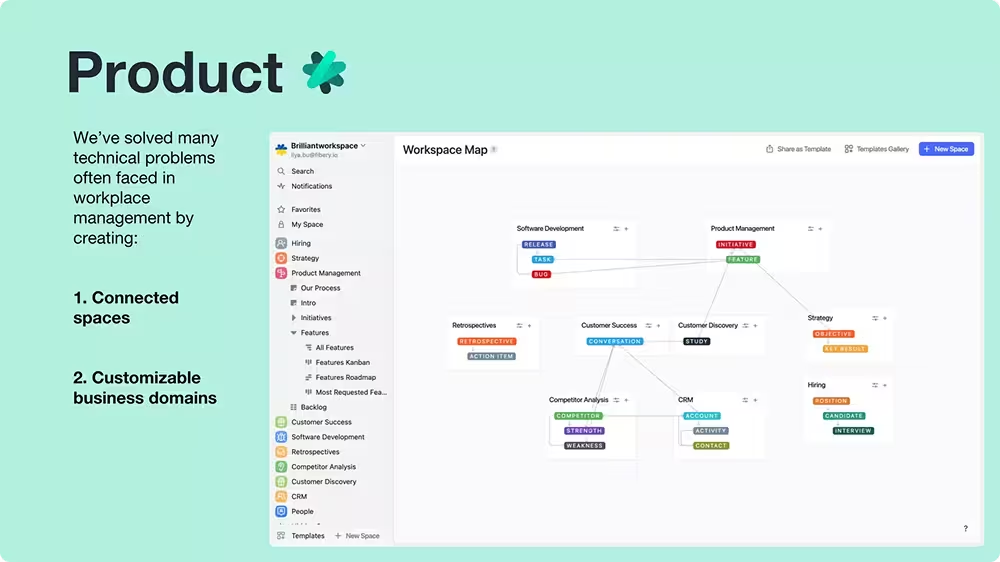
What you want to avoid is dropping in raw screenshots of your interface with some descriptive text on the side. That forces investors to figure out what’s going on in your screenshot. UI is dense by nature - it's designed for users who already understand the context, not investors seeing your product for the first time. Crop it, strip it back, or annotate it instead.
5. Competition
Are you better than the others?
By the time an investor reaches this slide, they're already thinking it — okay, but who else is doing this? The competition slide is your chance to get ahead of that question rather than letting it linger as a doubt.
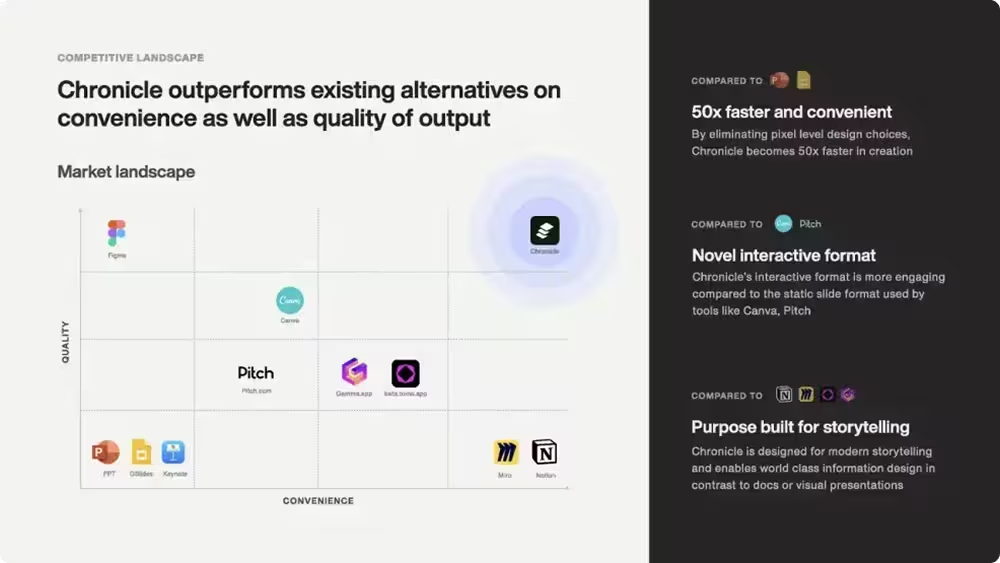
The most effective format here is a competitive quadrant with two axes. It lets investors see the whole landscape at a glance and where you’re positioned.
The axes you choose matter enormously though. Pick the wrong ones and you either look indistinguishable from everyone else or you look like you've rigged the chart in your favour. Choose dimensions that are genuinely meaningful to the customer decision and that naturally surface your advantage.
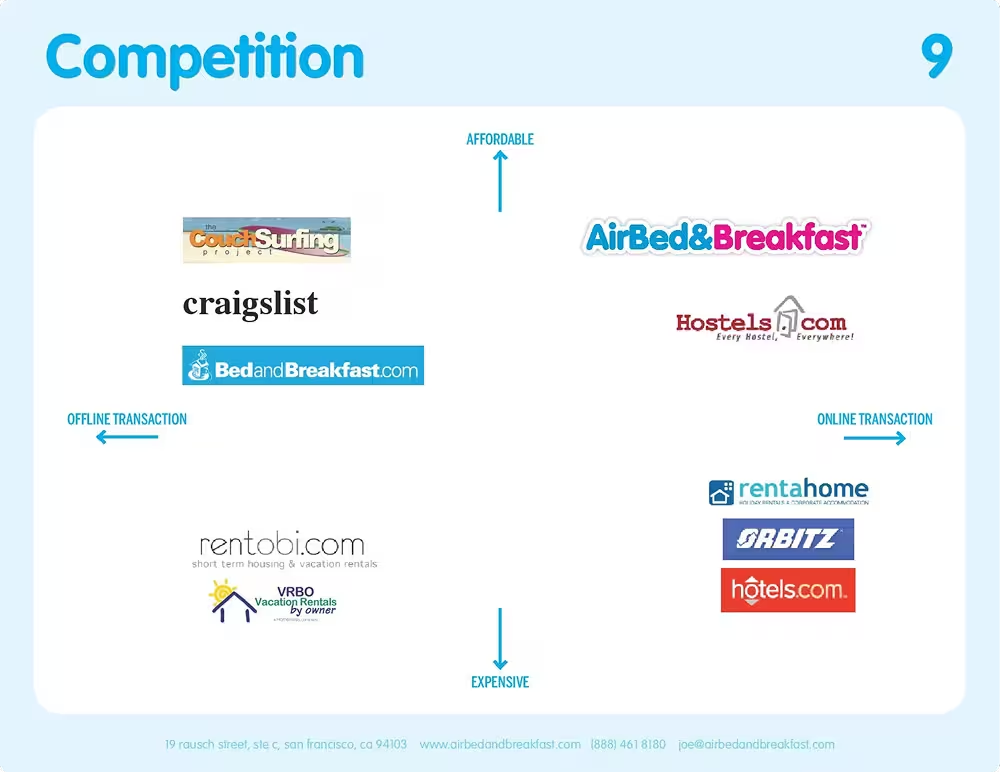
You can even combine with quadrant with a few call-outs to what makes you stand out from the competition.
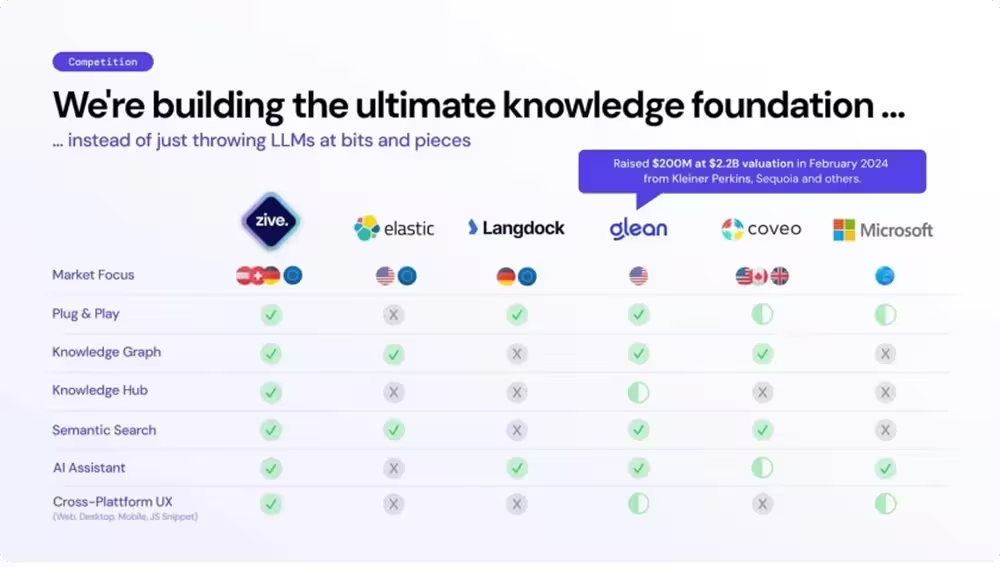
If your edge is less about positioning and more about specific capabilities, a feature comparison table works well too.
6. Market Size
How much could you earn?
Now investors want to know if it's worth their while — how big is the opportunity if you get this right?
The standard framework here is TAM, SAM, SOM.
- TAM: If everyone use your solution
- SAM: Who you can realistically reach based on segment / product etc.
- SOM: How much you can capture in the next 3 years
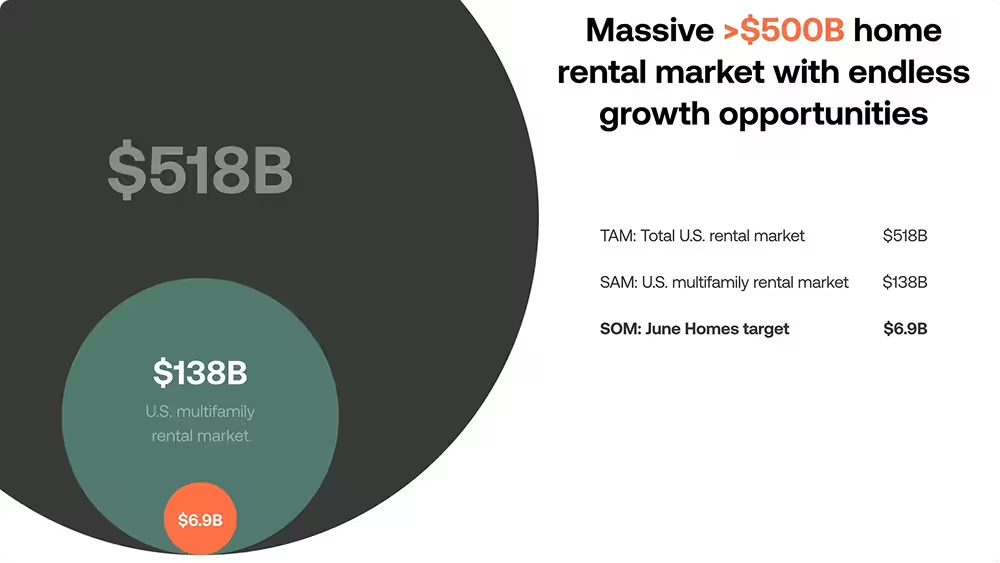
You can get these numbers from top-down sizing from market reports, which are fine if they are specific to your market. But sometimes these numbers can seem a bit hand-wavy and ungrounded. In this case, bottom-up market sizing would be better since you build the math up from first principles.
Doola did this by getting multiplying the number of addressable customers, conversion rate, and price point to get a concrete size for their market.
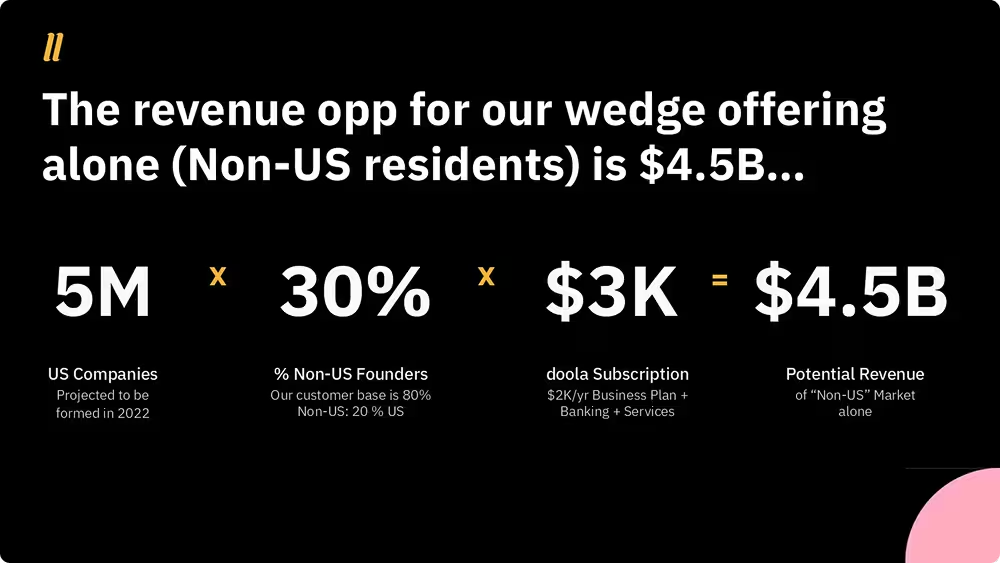
Whatever approach you take, resist the temptation to just lead with the biggest number you can find. A $500B TAM means nothing if your SAM is vague and your SOM is unsupported. Investors are looking for the logic, not the biggest number. Show your working and make the path from here to meaningful revenue feel grounded.
7. Business Model
How do you make money?
One to three revenue streams, with real numbers attached. That's really all this slide needs to be.
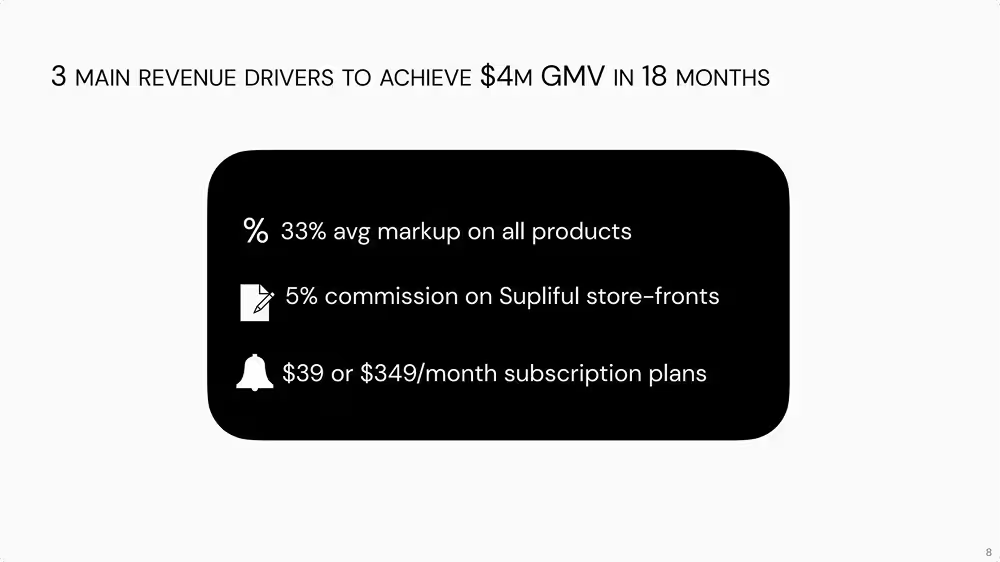
Supliful's deck is a good example — three streams, each with a concrete figure: a 33% average markup on products, a 5% commission on storefronts, and subscription plans at $39 or $349 a month. You understand exactly how they make money and at what rate.
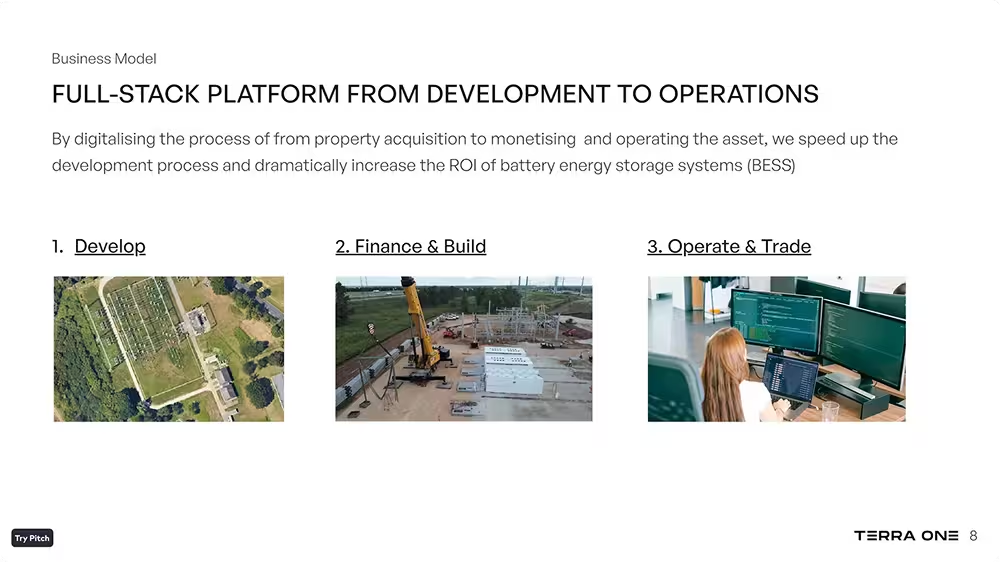
Terra One's deck shows the opposite approach. "Full-stack platform from development to operations" sounds substantial, but it doesn't actually tell you how they make money. Three process stages with stock photos attached isn't a business model. There's no pricing, no margin, no indication of where revenue actually comes from.
If someone read your business model slide and couldn't tell you what a customer pays or what they get for it, the slide isn't done yet.
8. Go-to-Market
How will you get your first customers?
This slide trips people up because it's easy to either overthink it or underthink it. Overthink it and you end up with a sprawling marketing and sales funnel. Underthink it and you list three channels with no logic connecting them.
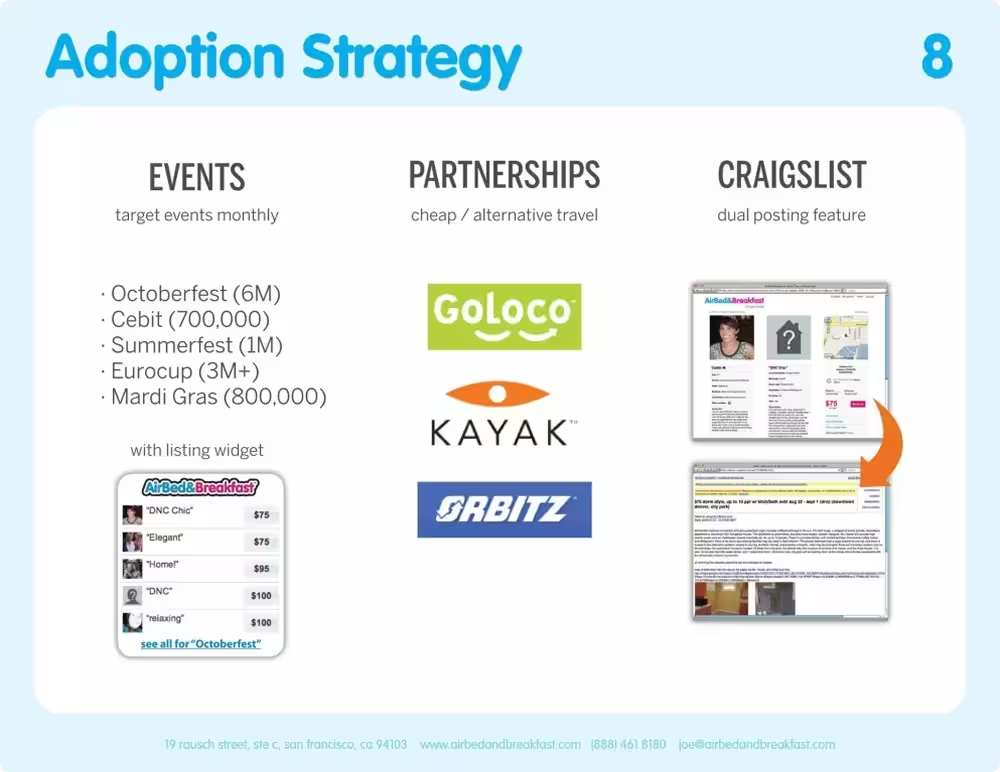
Airbnb's adoption strategy is a great benchmark here. Three channels, each with concrete detail: target specific events by name and attendance size, partner with travel platforms like Kayak and Orbitz, and build a Craigslist dual-posting feature to tap an existing audience.
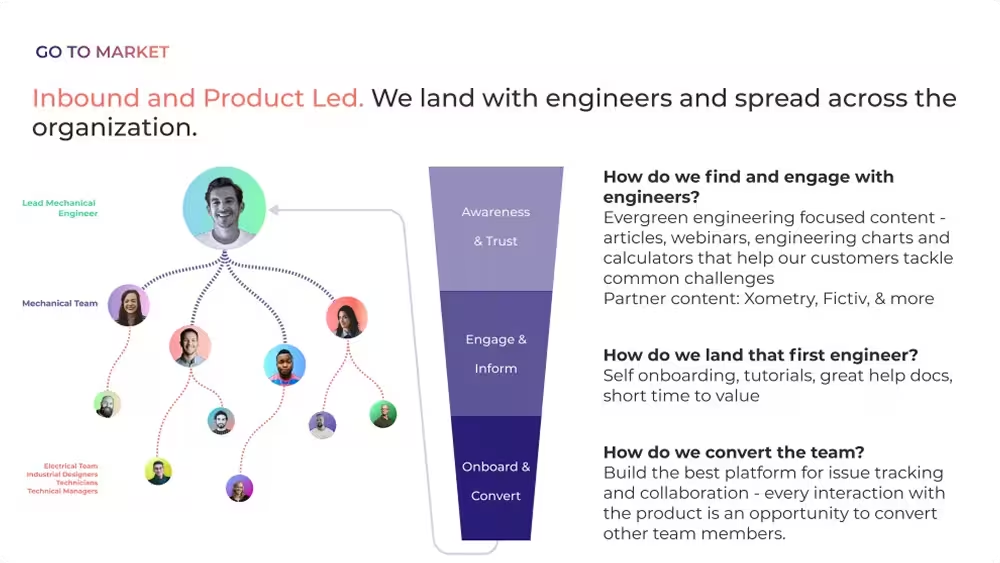
The other approach that works well is a staged funnel showing how you land an initial user and then expand from there. This works especially well for B2B products where your wedge is a single team or individual and the goal is to spread across an organisation over time.
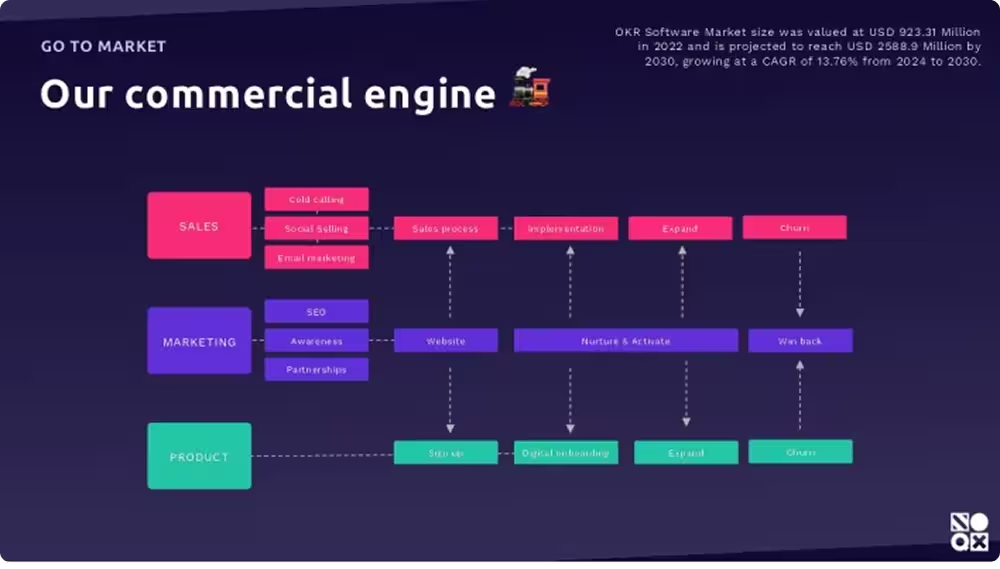
What doesn't work is the marketing + sales funnel that tries to show everything at once. Sales, marketing, and product all mapped across five stages with arrows going in every direction looks thorough but communicates very little.
9. Traction
Has it worked?
If you have traction, show it. Revenue is the strongest signal, but any metric that demonstrates real demand does the job: active users, waitlist signups, lessons created, contracts signed.
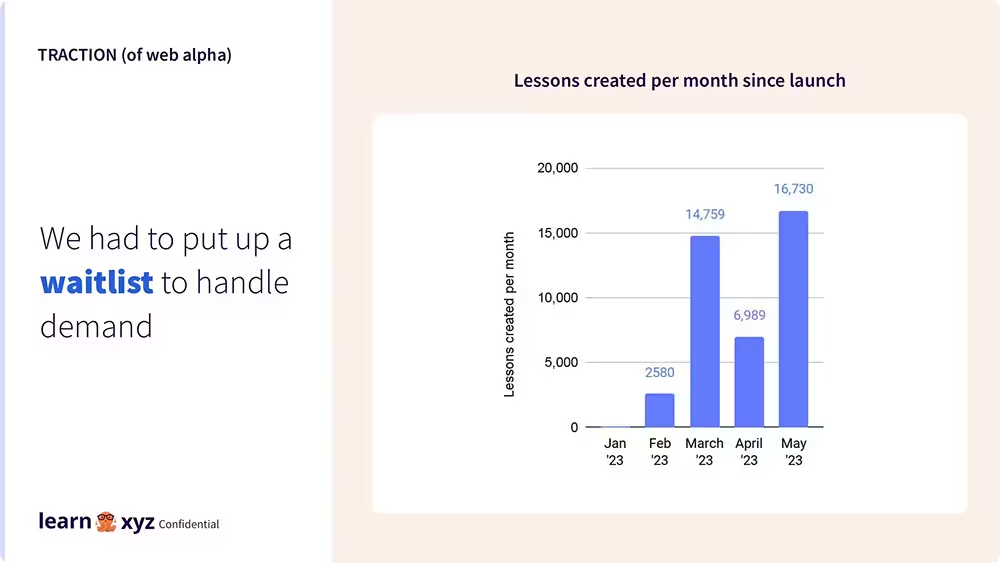
The one thing to avoid is padding this slide with vanity metrics to fill the space. Press mentions, social followers, and app store ratings rarely tell investors anything meaningful. Stick to numbers that speak directly to demand.
But the traction slide isn’t a requirement. You don’t need to feel forced to make up “traction” if you don’t have any. If you're still early stage, it's fine not to have it.
10.Team
Can you do it?
Investors aren't looking for an “about us” slide - they're asking whether you're the right people to execute on this opportunity. Those are different questions, and a lot of team slides answer the first one when they should be answering the second.
That means everything on this slide should connect back to the business. Past roles are only worth mentioning if they're directly relevant. A founder who scaled a marketplace to a million users is worth highlighting if you're building a marketplace. The same founder's MBA or early career in consulting probably isn't. Be ruthless about what you include - a tighter, more relevant story is always stronger than an exhaustive CV.
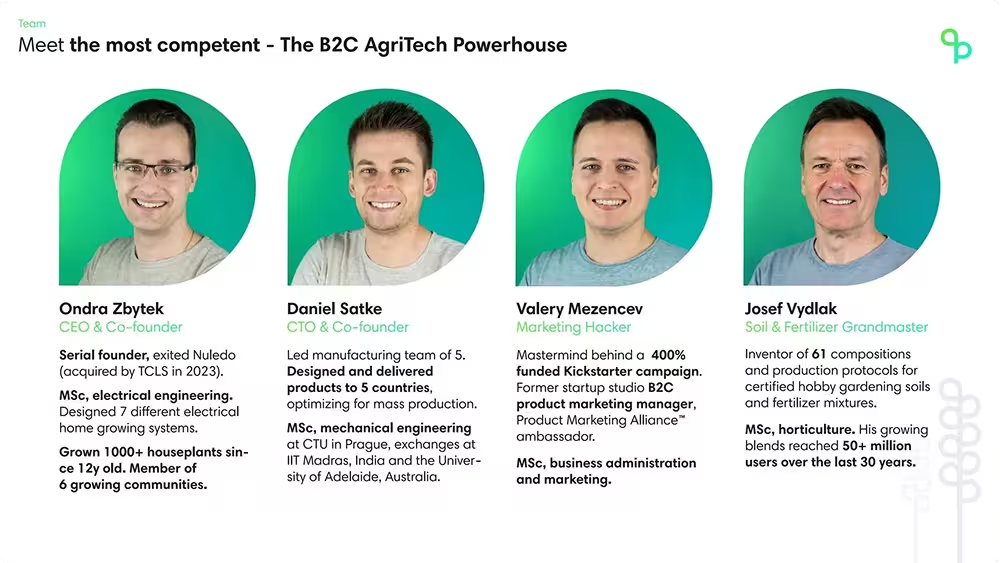
The other thing to get right is framing achievements as outcomes rather than titles. "Led a team of 40 engineers at Stripe" tells a better story than "VP of Engineering at Stripe." The first tells you what they did, the second just tells you what they were called. Investors are backing people who make things happen, so show the things that happened.
11. The Ask
How will you use the investment?
This is the last slide, and it's the one that needs to feel the most grounded. By this point an investor is either interested or they're not — the ask is your chance to give them something concrete to say yes to.
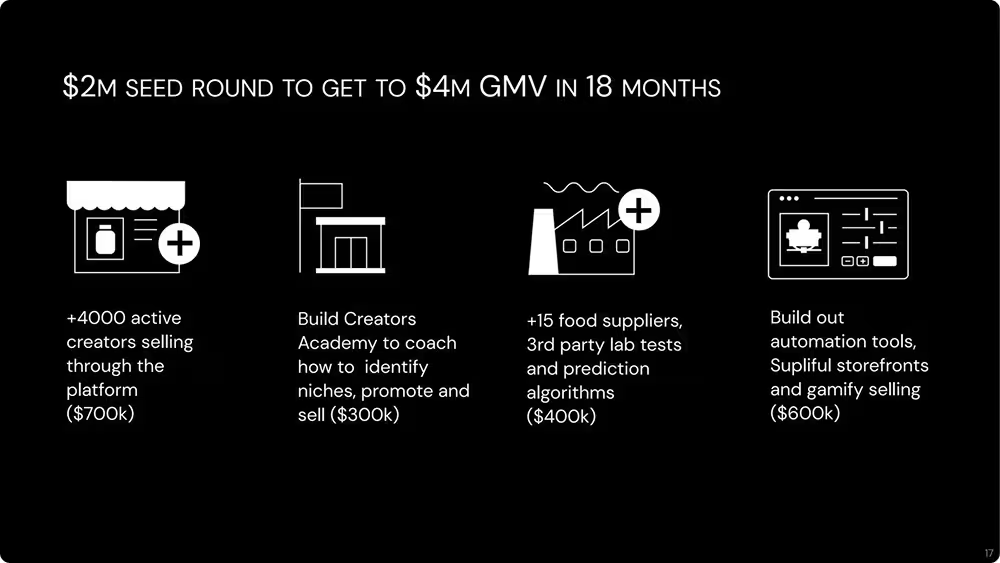
The SMART framework is a useful lens here. Your ask should be specific, measurable, achievable, relevant, and time-bound. Not "we're raising $2M to grow the business" but "$2M to get to $4M GMV in 18 months." The second version tells an investor exactly what their money is buying and when they'll know if it worked.
Supliful's ask slide does this well — they break the raise down into four specific initiatives, each with a dollar amount and a clear output attached. You can see exactly where the money goes and what it's supposed to produce.
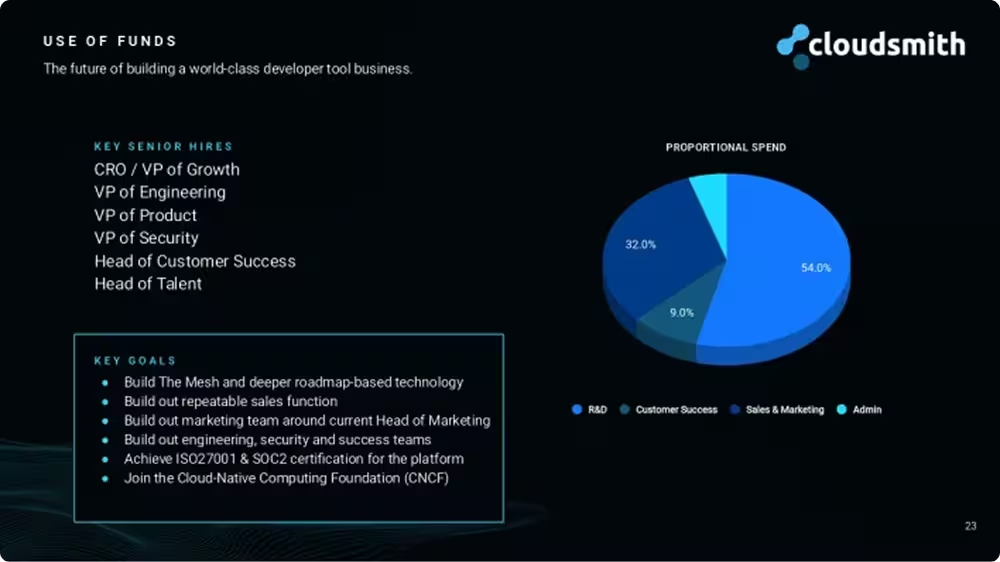
What doesn't work is an operational allocation- a pie chart showing 54% to R&D, 32% to sales etc. This is purely a technical allocation of funds, it’s not a commitment to growth.
Understanding the “why” behind every slide
Every slide has a specific function. Understanding that function is what separates a persuasive pitch deck from an informational one — and it's what gives you the flexibility to adapt it.
If you have outstanding traction, move it to the front and let it do the heavy lifting early. If you're a seasoned founder with multiple exits, lead with the team slide and use it to anchor the whole pitch.
Once you understand what each slide is trying to do, the structure becomes yours to use - not a template to fill.
If you really liked the examples here, TechCrunch’s Pitch Deck Teardown series is an amazing resource for that